API KEY
The REST API uses an authentication mechanism based on an API key.
Each request must include a valid key in the HTTP header:
X-API-KEY: your_api_key
If the key is valid and authorized, the request is processed.
Where can I get an API key?
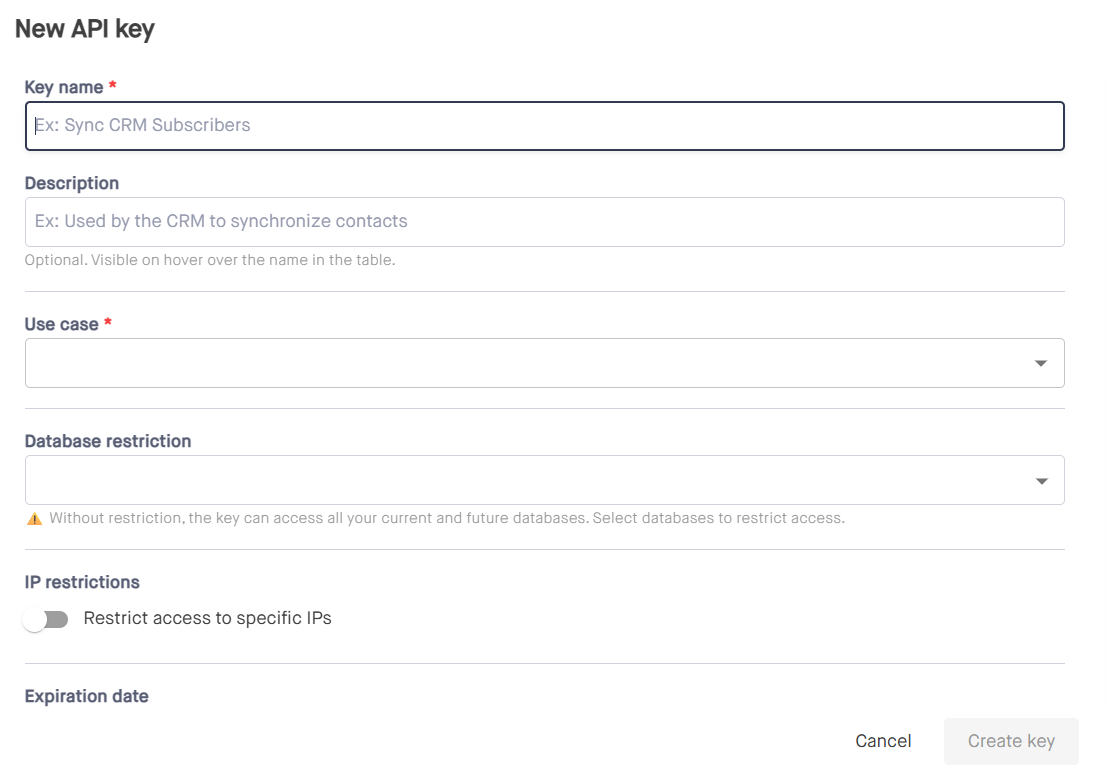
You can create your API keys on my.mindbaz.com website in the "Integrations" menu.
On this screen, you have access to the list of already created and available keys. You can edit, enable, disable, or delete a key.
The name, description, and restrictions of the key can be updated. However, the use case and expiration date of the key cannot be modified.
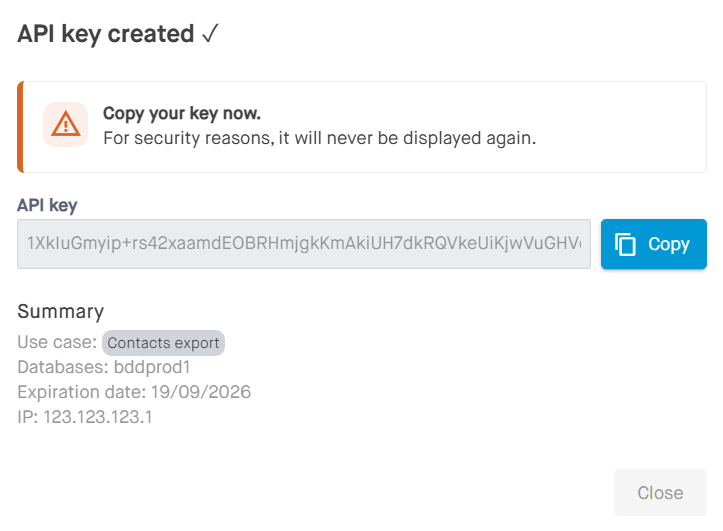
⚠️ Warning!
The API key is displayed ONLY ONCE after its creation for security reasons.
How to send the API key
Required header
| Header | Value |
|---|---|
| X-API-KEY | Key provided by the administrator |
cURL example
curl -X GET "https://api.votredomaine.com/api/123/resource" \
-H "X-API-KEY: abcdef123456"
C# example (HttpClient)
var client = new HttpClient();
client.DefaultRequestHeaders.Add("X-API-KEY", "abcdef123456");

var response = await client.GetAsync("https://api.votredomaine.com/api/123/resource");
Cases where the key is not required
- Access to Swagger documentation (/swagger)
- HTTP OPTIONS requests (CORS preflight)
API key validity conditions
A key is accepted only if all the following conditions are met:
Existence
- The key must exist in the system.
Associated user
- The key must be linked to a valid user.
Status
The key must be:
- Active
- Not deleted
Expiration date
If an expiration date is defined, it must not be exceeded.
Security restrictions
- A key can be limited to specific sites.
- A key can be limited to specific IP addresses.
Rate Limiting
Each API key can have a request limit per minute.
Returned Headers:
| Header | Description |
|---|---|
| X-RateLimit-Limit | Maximum number of requests per minute |
| X-RateLimit-Remaining | Remaining requests in the current window |
| X-RateLimit-Reset | Unix timestamp of the reset |
Response Example
X-RateLimit-Limit: 60
X-RateLimit-Remaining: 12
X-RateLimit-Reset: 1708345200